How To Complete The Employee Onboarding Process
This guide provides a straightforward and efficient walkthrough for completing the employee onboarding process using the PayWhiz platform. It simplifies the steps involved, ensuring that HR professionals can easily navigate through the necessary tasks such as reviewing employee entered information and required documentation.
1. Navigate to paywhizhr.com/client
2. Click "Employee Admin Tools"

3. Click "Employee Administration"

4. Click "Pending Employees"


On the right side of the screen you'll see the status of each employee.
Employees who completed their part of the onboarding workflow will show as "Assigned to Me".
Employees who completed their part of the onboarding workflow will show as "Assigned to Me".

5. Click on the 3 dots (...)

6. Select "Client New Hire Wizard"

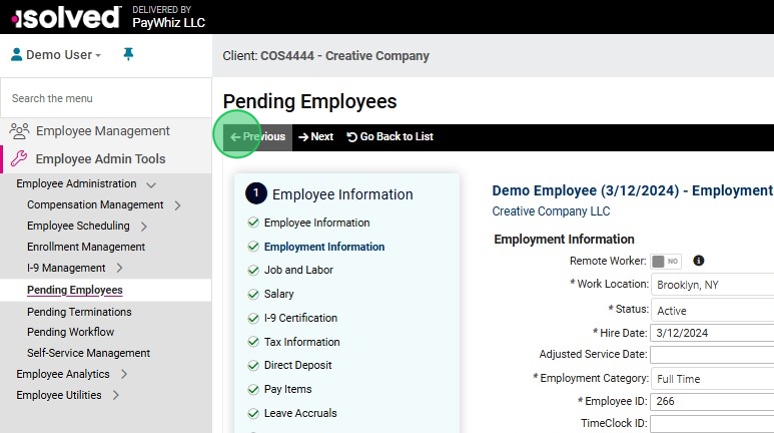
7. Navigate through each section, enter required information and review employee entries.

The information displayed will depend based on the setup of your organization.

8. When ready to move to the next screen click "Next"
You can also click on any step to skip to that section.

9. To go back to a prior screen click "Previous"
10. When done, click on "Complete New Hire"
The employee will be added to the system and receive a confirmation.

By following this guide, users can streamline onboarding, save time, and ensure compliance with essential regulations. It's an invaluable resource for anyone involved in managing new hires.